United States Language Selection Flag.BuyXP English US flag icon for language switcher
  • Language selection icon for BuyXP website English
In-Game Currency Type Selection lcon -BuyXP
  • $ USD
  • USDT USDT
  • € EUR
  • £ GBP
  • C$ CAD
  • A$ AUD
  • R$ BRL
  • RM MYR
  • ¥ JPY
  • S$ SGD
  • MX$ MXN
  • NT$ TWD
  • ¥ CNY
  • HK$ HKD
  • Rp IDR
cart Cart 0
menu
United States Language Selection Flag.BuyXP select_icon
  • English Language Option lcon -BuyXP English
In-Game Currency Type Selection lcon -BuyXP
  • $ USD
  • USDT USDT
  • € EUR
  • £ GBP
  • C$ CAD
  • A$ AUD
  • R$ BRL
  • RM MYR
  • ¥ JPY
  • S$ SGD
  • MX$ MXN
  • NT$ TWD
  • ¥ CNY
  • HK$ HKD
  • Rp IDR
cart 0
News
Back

How to log in to the correct game version to check character information

2024-12-18 03:15:58
2024-12-18 03:15:58

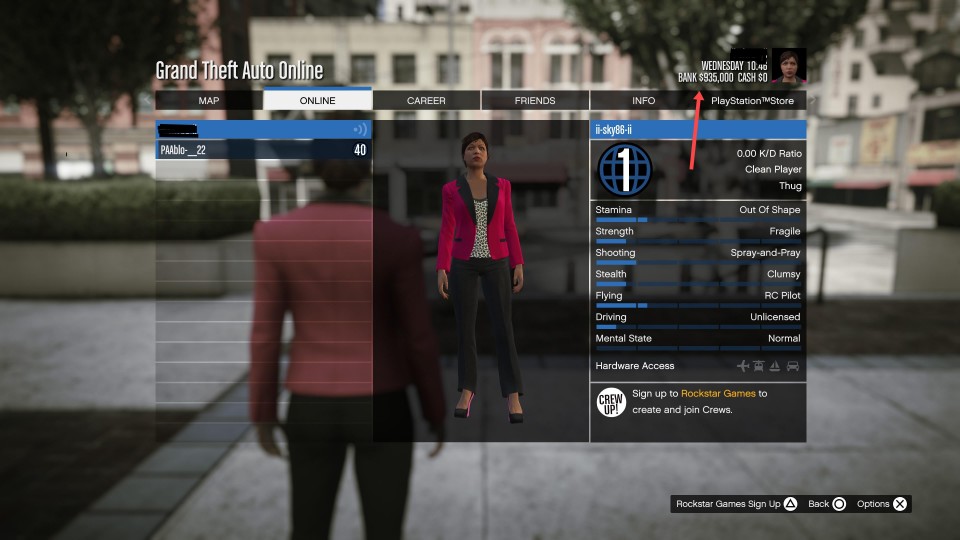
How to check your property and character level information


step 1

Log in to the game interface



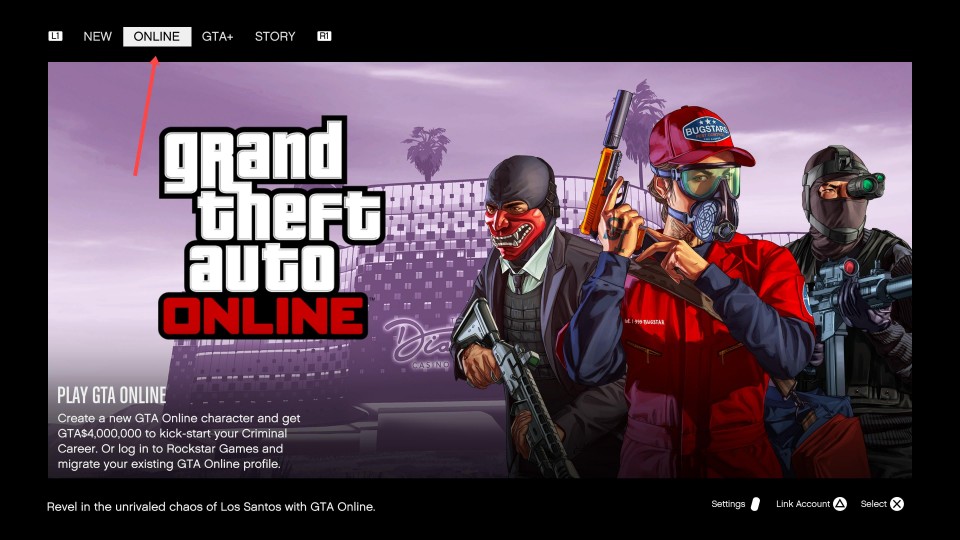
step 2
Select online mode to enter the game


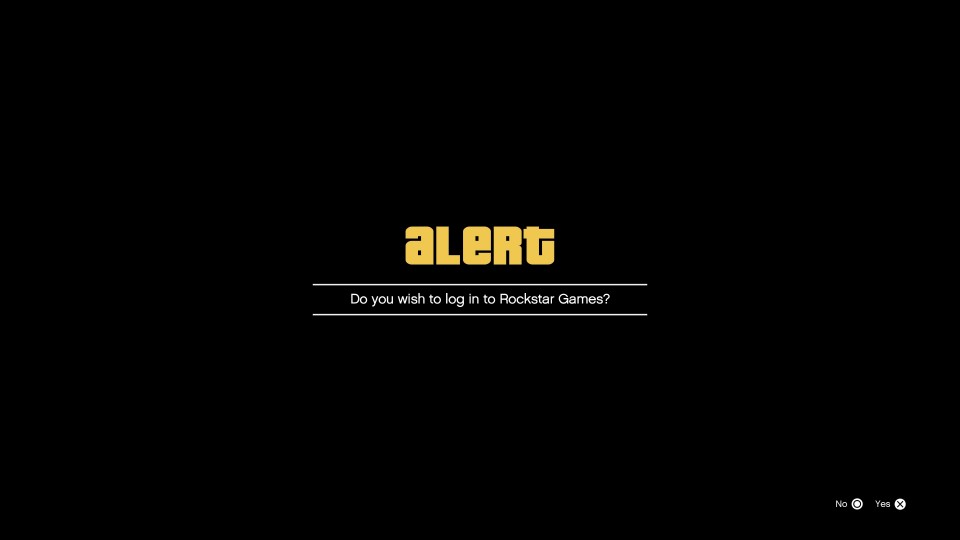
step 3
If you want to directly bind Rockstar, you can choose yes. If you don't want to bind Rockstar temporarily. Can choose No


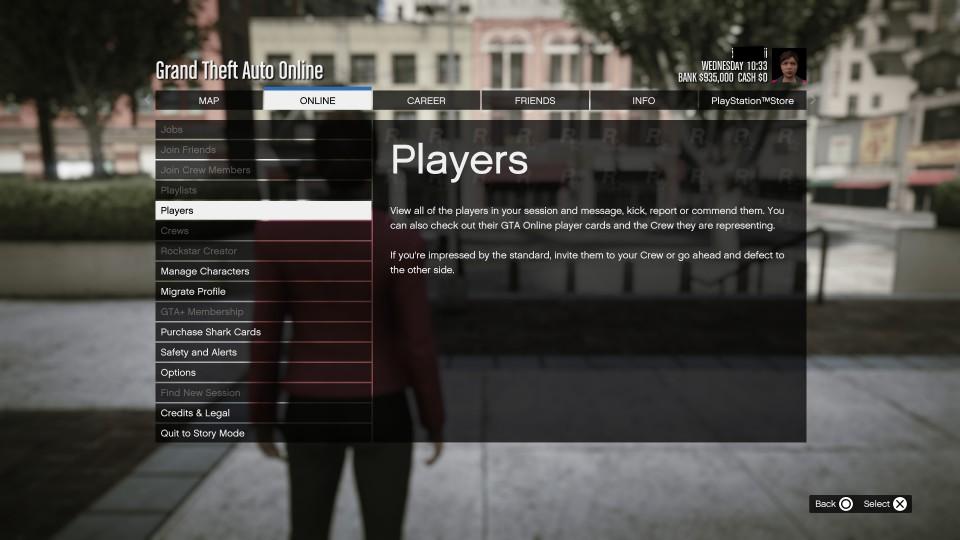
step 4
After entering the game, check your account assets and character level.


Why Choose BuyXP
Cheap Prices

Cheap Prices

We continuously adjust in real-time to ensure competitive pricing in the market. Our promotions and membership discounts allow you to enjoy better services at lower prices. 
Secure Transactions

Secure Transactions

Secure and reliable payment methods, along with the protection of personal information, ensure that you can confidently purchase the products you need. 
Best Service

Best Service

Our 24/7 customer support is available to resolve any issues you may have. Our 24/7 delivery team ensures quick and accurate fulfillment of your orders.
Refund Guarantee

Refund Guarantee

We promise to complete your order promptly and quickly. If any order cannot be completed due to our reasons or market factors, we will promptly refund you the full amount.
paymethods